Top Stories
Why Your Emails Are Going to Spam – and How to Fix It
Published by Wanda Rich
Posted on September 19, 2025
5 min readLast updated: January 19, 2026
Add as preferred source on Google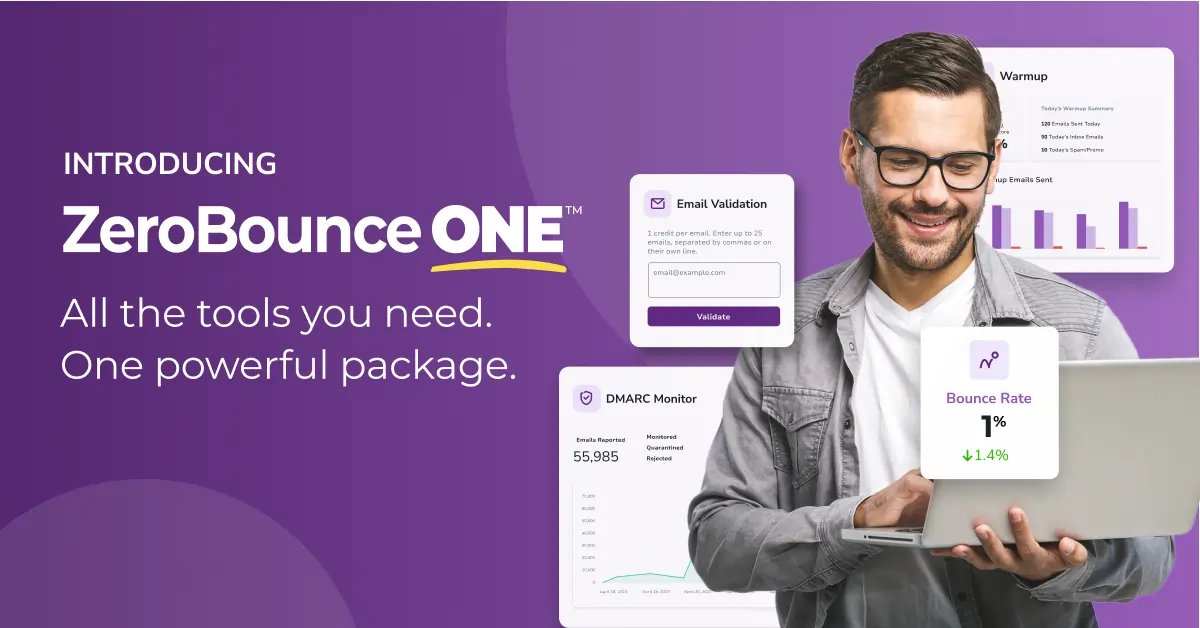
Published by Wanda Rich
Posted on September 19, 2025
5 min readLast updated: January 19, 2026
Add as preferred source on GoogleYou know what hasn’t changed in 2025? People’s love for email. Nearly everyone still uses it every day. In fact, according to a ZeroBounce study,
You know what hasn’t changed in 2025? People’s love for email. Nearly everyone still uses it every day. In fact, according to a ZeroBounce study, 93% of people say they check their inbox daily, and more than a third spend between two and five hours in it. Even better, 41% actively look for discounts from brands. That’s a huge opportunity – if your emails actually reach them.
But many brand emails never land in the inbox. They go straight to spam instead. When that happens, it doesn’t matter how convincing your email is – your audience won’t even see it.
So why do emails miss the inbox?
Why emails go to spam
It’s tempting to blame spam filters, but the truth is, most of the time email deliverability is something within your control. Here are some of the top reasons your emails could be flagged:
Bad data and high bounce rates
When your emails bounce too often, it makes you look careless – the same way spammers look. Big inbox providers don’t take chances. If they think your list might be bad, they’ll start pushing more of your emails into the spam folder.
Emails that “look like spam”
In ZeroBounce’s survey, 80% of people said they’ll mark an email as spam if it looks spammy. To the average reader, sloppy design, subject lines that feel like clickbait, or links that don’t seem trustworthy are all signals of a scam. They’ll hit the spam button fast. Even if your offer is legitimate, if it feels sketchy, people won’t give you the benefit of the doubt.
Lack of permission
More than half of people (55%) say they’ll hit spam if they never agreed to hear from you. To inbox providers, that’s a strong signal you’re sending unwanted email, and your future campaigns will pay the price.
Missing unsubscribe links
Almost half of people (47%) report a message as spam when they can’t easily opt out. To them, no unsubscribe link feels shady. To inbox providers, it’s another sign you’re not a trustworthy sender.
Reputation issues
Think of your sender reputation like a credit score. If it drops because of complaints, bounces, or low engagement, inbox providers lose trust. Once that happens, more of your emails get sent to spam.
Poor engagement
How people react to your emails matters. If open and click rates slide, it tells providers your messages aren’t wanted. Over time, that silence can push your emails out of the inbox and into spam. Over time, they can start diverting you to spam. Even legitimate marketers can get trapped in the spam folder and lose reach and revenue.
The cost of going to spam
Investing in marketing emails only to see them go to spam is frustrating. But it also hurts your bottom line. Over time, spam placement can:
Even a small portion of emails going to spam can add up to thousands of missed views and lost sales. And it’s not just promotions at risk. When important messages like confirmations or invoices get filtered out, it chips away at your brand and customer trust.
How to avoid landing in spam
Getting into the inbox is about how you approach your email marketing. A few simple habits can go a long way in keeping you out of spam and in front of more people.
Validate your email list
Sending to invalid or outdated addresses drives up your bounce rate, and inbox providers see that as a red flag. By validating your list regularly, you show that you’re a careful sender, reduce wasted sends, and protect your reputation over time.
Get permission
The fastest way to land in spam is to email people who never signed up in the first place. Build your list with clear opt-ins so people know what they’re signing up for and actually want your emails. And if they decide to leave, let them go easily – giving subscribers control builds more trust than trying to hold on to them.
Warm up new domains
Blasting thousands of emails from a new domain is a red flag for inbox providers. It’s better to ease in – send a small batch first, then slowly grow your volume. That steady pace shows providers your messages are welcome and helps your reputation hold up.
Keep emails trustworthy
People decide in seconds whether your email feels like spam. If it looks messy or your subject line sounds like clickbait, chances are your subscribers will hit the spam button. Stick with clear branding, simple design, and straightforward copy. That way both your readers and inbox filters know they can trust you.
Monitor engagement
Inbox providers notice how people interact with your emails. When subscribers open, click, or reply, it shows your messages are wanted. But if they ignore or delete them, that silence works against you. Keep an eye on your engagement metrics – they’ll tell you when it’s time to adjust your strategy.
One tool to keep your emails out of spam
Good deliverability comes down to simple habits: keeping your list clean, sending with permission, warming up domains, and watching engagement. The hard part is managing all of that consistently — especially when it means bouncing between different tools.
ZeroBounce ONE™ brings it all together. It combines list validation, email warmup, reputation monitoring, and more in one place, making it easier to keep your emails out of spam and in front of the people who want to read them.
As founder Liviu Tanase explains: “We’ve made enterprise-grade deliverability tools affordable and accessible to every marketer. Our mission has always been to help businesses land in the inbox, and now we’re giving them more than ever – for less than they were already paying.”
The payoff? More emails delivered, more people reached, and more opportunities to grow your business.
Email deliverability refers to the ability of an email to successfully reach the recipient's inbox rather than being filtered into spam or junk folders.
Bounce rate is the percentage of emails that cannot be delivered to the recipient's inbox, often due to invalid email addresses or server issues.
Sender reputation is a score that email service providers assign to an email sender based on their sending history, affecting email deliverability.
An unsubscribe link is a feature in email marketing that allows recipients to opt out of future emails, which is important for maintaining compliance and trust.
Email validation is the process of verifying that an email address is valid and deliverable, helping to reduce bounce rates and improve sender reputation.
Explore more articles in the Top Stories category