
Cybercriminals are always on the hunt for user credentials (user name and password). If you have someone’s credentials, you can log into their systems, access valuable data, and perform fraudulent transactions on their behalf.
Main Methods Cybercriminals Steal Credentials
Credentials are typically extracted by cybercriminals in one of three ways:
Method 1: Key-Logging Malware Attacks
The first method uses key-logging malware that captures user keystrokes during login and sends the information to the attacker. There are various techniques to compromise user machines with such malware, including drive-by downloads, watering hole attacks, infected USB drives, and more.
Method 2: Phishing Sites and Fake Logins
The second method uses a phishing site. This is a fake website that is designed to look like a legitimate login page, such as an online banking website or online applications like GoogleDocs. To get the user to the phishing site, the attacker sends a spear-phishing message that looks like it came from a trusted source (a bank, a colleague, a government office, etc.). The spear-phishing message will request that the user log into the website to read more details, or to update their user information. Once the user attempts to login to the phishing site, the credentials are sent directly to the attacker.
Method 3: Data Breaches and Database Hacks
In the third method, cybercriminals hack into e-commerce websites and social networks to extract the user database, including user credentials. Since users often re-use credentials, there is a high likelihood that the same credentials can be used for logging into other systems as well.
Key Recommendations to Prevent Credential Theft
General Recommendations:
There are several things that can be done to lower the risk of credential theft:
First, don’t login into sensitive applications from unprotected machines. Make sure your anti-virus is up-to-date and, if possible, use special security solutions designed to block information stealing malware to protect your machine.
Be cautious about possible spear-phishing emails (even if the message seems to come from a trusted source). When receiving a message that includes a link to a website, try to verify that the request is genuine and that it takes you to a relevant website. If possible, don’t click the link. Instead, open your browser and type in the website address (URL).
Change your passwords often, use complex passwords and don’t use the same credentials across multiple systems. For systems that are especially critical to you or your business, consider using two-factor authentication. This adds additional user identification, and therefor is harder to compromise.
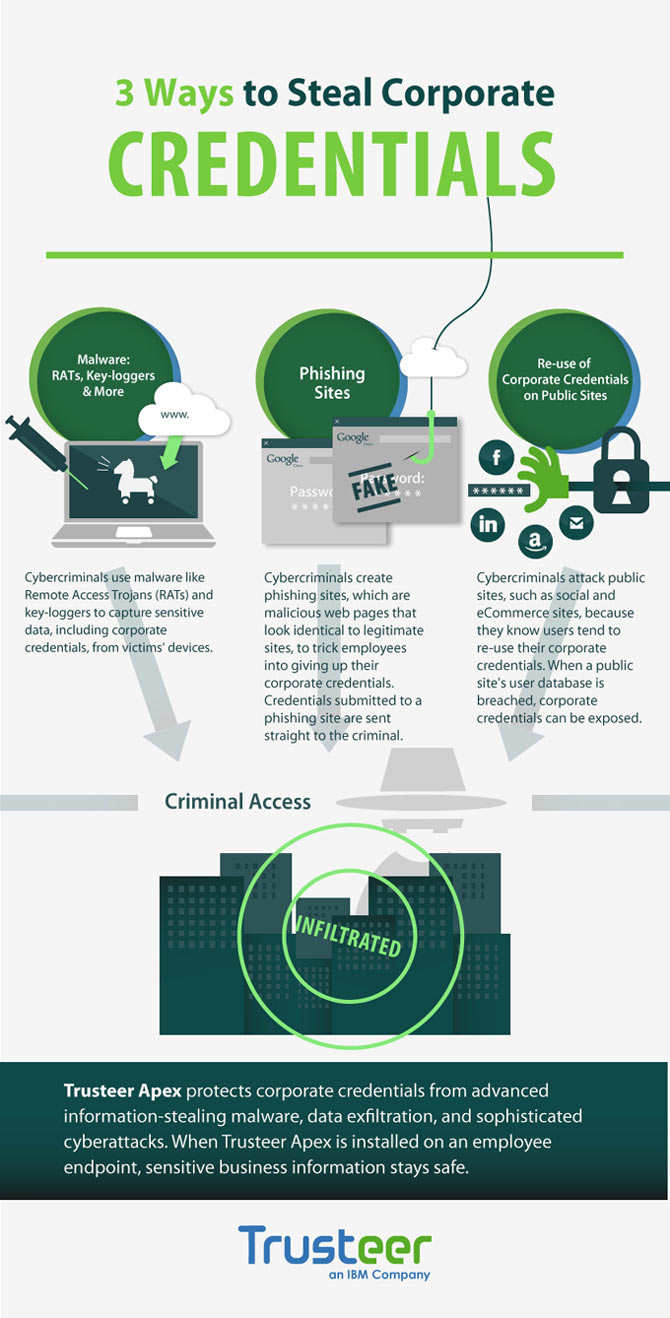
Trusteer Credentials Theft infographic
Cybercriminals are always on the hunt for user credentials (user name and password). If you have someone’s credentials, you can log into their systems, access valuable data, and perform fraudulent transactions on their behalf.
Credentials are typically extracted by cybercriminals in one of three ways:
The first method uses key-logging malware that captures user keystrokes during login and sends the information to the attacker. There are various techniques to compromise user machines with such malware, including drive-by downloads, watering hole attacks, infected USB drives, and more.
The second method uses a phishing site. This is a fake website that is designed to look like a legitimate login page, such as an online banking website or online applications like GoogleDocs. To get the user to the phishing site, the attacker sends a spear-phishing message that looks like it came from a trusted source (a bank, a colleague, a government office, etc.). The spear-phishing message will request that the user log into the website to read more details, or to update their user information. Once the user attempts to login to the phishing site, the credentials are sent directly to the attacker.
In the third method, cybercriminals hack into e-commerce websites and social networks to extract the user database, including user credentials. Since users often re-use credentials, there is a high likelihood that the same credentials can be used for logging into other systems as well.
General Recommendations:
There are several things that can be done to lower the risk of credential theft:
First, don’t login into sensitive applications from unprotected machines. Make sure your anti-virus is up-to-date and, if possible, use special security solutions designed to block information stealing malware to protect your machine.
Be cautious about possible spear-phishing emails (even if the message seems to come from a trusted source). When receiving a message that includes a link to a website, try to verify that the request is genuine and that it takes you to a relevant website. If possible, don’t click the link. Instead, open your browser and type in the website address (URL).
Change your passwords often, use complex passwords and don’t use the same credentials across multiple systems. For systems that are especially critical to you or your business, consider using two-factor authentication. This adds additional user identification, and therefor is harder to compromise.
Trusteer Credentials Theft infographic